Beta product

Why LaunchForge designed KeepUpClass around lecture flow instead of generic note capture

KeepUpClass is a strong example of workflow-centered educational product thinking. The public site already shows a student-facing promise, concrete feature framing, and a visible study flow, all centered on lecture material rather than general-purpose note taking.

Review basis

Prepared by LaunchForge from direct review of the KeepUpClass landing page, feature sections, and visible study-flow steps on the public site.

Reviewed on 2026-03-10

The problem

Students often split lecture review across disconnected tools: PDFs in one place, notes in another, AI help elsewhere, and revision materials somewhere else again. That fragmentation makes it harder to stay aligned with the actual lecture structure.

Who the product is for

The product is for students who need to stay anchored to lecture material while taking notes, asking for explanation, and preparing for later review.

Why we chose this approach

LaunchForge treated lecture slides as the center of the product instead of treating notes as free-floating text. That decision makes the academic workflow easier to follow and lets AI assistance live inside the same study context rather than as a separate novelty surface.

What the public landing page already makes explicit

KeepUpClass landing page hero with university lecture promise and primary call to action

The hero makes the student promise legible immediately: lecture PDFs, slide-by-slide notes, and AI explanations all framed as one workflow.

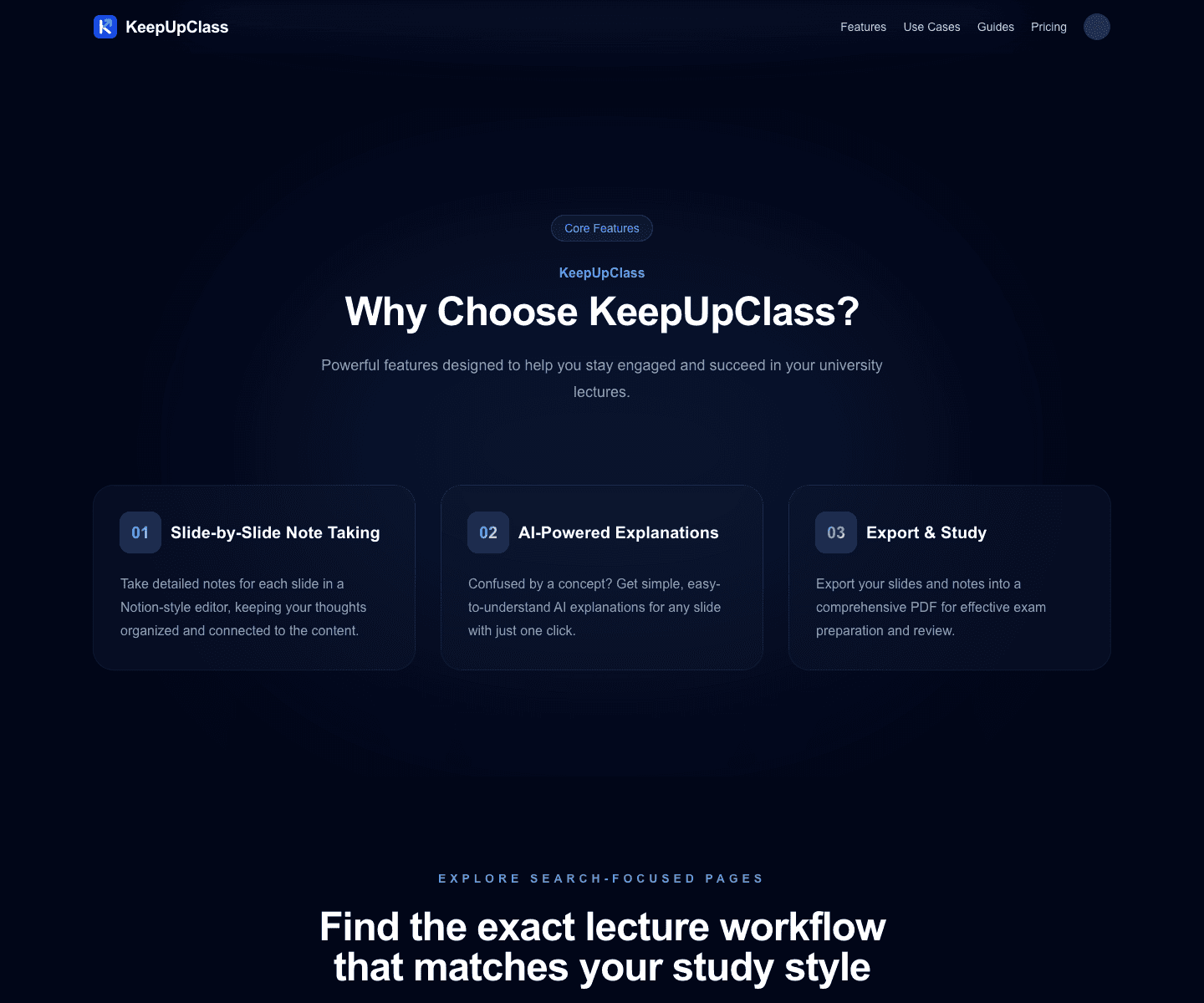
KeepUpClass landing page sections showing feature cards and the study workflow steps

The feature and workflow sections are more useful proof than an auth screen because they show exactly how the product is meant to support study behavior.

  • The public page title is "KeepUpClass - Never Fall Behind in University Lectures."
  • The live H1 is "KeepUpClass Never Fall Behind in University Lectures."
  • The public site includes sections such as "Why Choose KeepUpClass?", "Slide-by-Slide Note Taking", "AI-Powered Explanations", and "How KeepUpClass Works."
  • The landing page also shows a "Get Started for Free" call to action and a four-step flow covering upload, note-taking, AI help, and export.

Why the workflow is shaped this way

Center the product on lecture slides

LaunchForge chose slide-by-slide study flow because it preserves the structure students already use in class. That is a stronger starting point than asking users to reconstruct lecture context manually inside a generic notes interface.

Embed AI inside workflow, not beside it

AI support becomes more useful when it is connected to the lecture context, the note-taking step, and later review needs. KeepUpClass makes AI part of study flow rather than a detached feature.

Keep the public intro honest

The live landing page already makes the product promise specific. It does not pretend to be a finished all-purpose student platform; it explains a narrower, more defensible lecture workflow.

What the public product state shows now

KeepUpClass is still best described as a beta product, but the public landing page already explains the problem, the workflow, and the product boundary clearly enough to treat it as a real student tool rather than a vague concept page.

What KeepUpClass clarified for us

The clearest lesson from KeepUpClass is that educational products become more useful when they respect the learner’s actual sequence of work. LaunchForge learned that workflow integrity and public clarity matter more than piling on generic “smart study” claims.

Why this education product matters on LaunchForge

KeepUpClass proves that LaunchForge can design education software around a real workflow, combine AI support with user context, and communicate that product clearly to the public.